
INDUSTRIES2023-04-26T19:33:38+00:00

How to Choose the Right PoE Switch for Global Sourcing?

Choosing the right Poe Switch for global sourcing requires more than comparing prices and port counts. It requires practical judgment, technical knowledge, and careful supplier verification. A switch may look suitable online, yet fail when installed in a hot warehouse or connected to distant access points.

Buyers should examine PoE standards, power budgets, uplink speeds, port numbers, and management features. IEEE 802.3af, 802.3at, and 802.3bt support different device requirements. A camera may need stable power during night operation. A wireless access point may require higher wattage during heavy traffic. Small details matter.

Field experience also reveals common sourcing problems. Product descriptions can be incomplete. Wattage figures may describe peak output, not continuous performance. Some suppliers provide excellent samples but inconsistent production batches. That risk deserves attention.

Ask for datasheets, test reports, warranty terms, and clear after-sales procedures. Request a sample before placing a large order. Test it with the actual cameras, phones, or access points used in your network. Check heat, noise, restart behavior, and remote management.

Global purchasing adds more variables. Packaging, delivery schedules, regional voltage requirements, and technical support can affect the final cost. Certifications should match the destination market and product application. A low-priced Poe Switch is not truly economical if replacement takes weeks.

No sourcing plan is perfect. Even experienced buyers can overlook one specification. The goal is not to remove every uncertainty. It is to identify risks early, document decisions, and choose a supplier that can support reliable deployment.
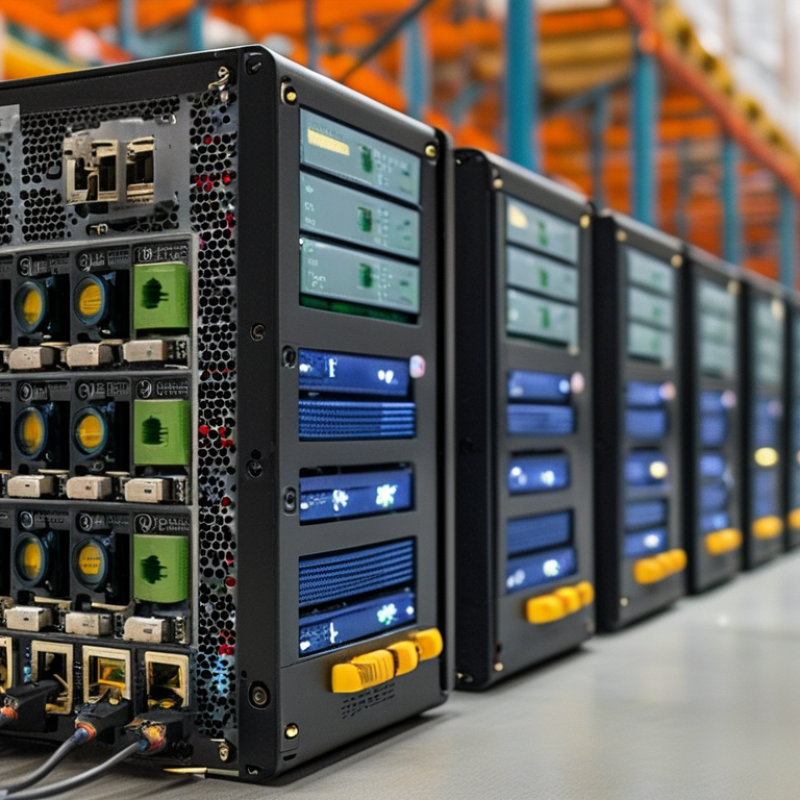
How to Choose the Right PoE Switch for Global Sourcing?

Define PoE Power Needs: IEEE 802.3af/at/bt Supply 15.4–90 W

How to Choose the Right PoE Switch for Global Sourcing?

PoE power requirements begin with the endpoint, not the switch label. IEEE 802.3af supplies up to 15.4 W per port, while 802.3at raises this figure to 30 W. IEEE 802.3bt supports higher-power devices, with Type 3 reaching 60 W and Type 4 reaching 90 W. These figures describe switch output before cable losses. The powered device receives less. That gap matters.

A practical review should match each port with the device’s peak demand. A basic access point may work under 802.3af, but a pan-tilt camera, display, or wireless unit with USB output may require 802.3at or 802.3bt. Check the device label, startup current, cable length, and operating temperature. A 90 W port does not guarantee safe operation if the total switch power budget is too small. Measure the load.

In sourcing projects, request test reports that identify IEEE mode, port output, cable conditions, and protection behavior. Confirm whether the switch supports two-pair or four-pair power delivery. Also verify input voltage ranges and required regional approvals before placing an order. I have seen buyers select ports by maximum wattage, then discover unstable devices during startup. It is an easy mistake, especially when specifications use different measurement points. A small power reserve usually improves reliability, although oversized capacity can raise cost and heat without practical benefit. 马会

Match Port and Uplink Speeds: Choose 100M, 1G, 2.5G, 5G, or 10GbE

How to Choose the Right PoE Switch for Global Sourcing?

Match port and uplink speeds to the devices you will install. A 100M PoE port may support basic phones, sensors, and older cameras. However, it can restrict modern wireless access points. For most office networks, 1GbE access ports offer a practical balance between cost and performance. Devices using Wi-Fi 6 or high-resolution video may benefit from 2.5GbE ports. Use 5GbE or 10GbE when several high-throughput devices share the same uplink. Do not judge the switch by its maximum uplink alone. A 10GbE uplink cannot fix slow edge ports.

Tips: Check real traffic, not only advertised speed. Confirm the PoE standard, total power budget, cable category, and uplink quantity. A camera may draw more power during infrared operation. Leave headroom for future devices. Small details matter.

In global sourcing projects, I compare port speed with installation distance, device density, and expected traffic growth. A warehouse with many cameras may need 1GbE access ports and dual 10GbE uplinks. A small hotel may work well with 1GbE and 2.5GbE mixed ports. Verify regional power input, safety documentation, and management features before ordering. Samples should run under load for several days. This step often reveals heat, fan noise, or unstable negotiation. I once underestimated uplink congestion. That mistake was avoidable. Performance planning is never finished at the catalog stage.

Verify Cable Reach: IEEE PoE Supports Up to 100 m Over Copper

When choosing a PoE switch for global sourcing, verify the copper cable path before comparing port counts or prices. IEEE PoE supports up to 100 meters over balanced twisted-pair copper. In structured cabling, this usually means a 90-meter permanent link plus 10 meters of patch cords.

Distance is not the only concern. Cable category, conductor size, connector quality, and installation temperature can affect voltage drop and data stability. A camera at the far end may receive less power than expected, especially when several ports operate simultaneously. Check the switch’s total PoE budget, not only its maximum power per port. Leave practical headroom.

Small details matter.

Ask suppliers for cable specifications, test records, and clear confirmation of IEEE 802.3 compatibility. Avoid accepting “100 meters” without asking whether that figure includes patch panels, wall outlets, and flexible cords. In real installations, poorly terminated plugs can reduce reliability before the rated distance is reached. I once saw a short link fail because the connector workmanship was worse than the cable itself.

For longer runs, do not assume a standard PoE switch can safely extend power through ordinary copper. Consider approved extenders, intermediate switches, or fiber uplinks with a suitable remote power design. Recheck the plan under the highest expected load and local temperature. The cheapest cable can become the most expensive component.

How to Choose the Right PoE Switch for Global Sourcing?

IEEE PoE standards support up to 100 meters of total copper-channel reach under compliant Ethernet cabling and installation conditions. Choose the PoE class according to the required powered-device wattage while confirming cable quality and network design.

Check Global Compliance: CE, FCC, RoHS, and IEC 62368-1 Standards

Choosing a PoE switch for global sourcing requires more than checking port count and power budget. Compliance documents matter.

CE marking supports market access in the European Economic Area. It is a manufacturer’s declaration, not a universal quality certificate. Ask for the EU Declaration of Conformity and test evidence. FCC requirements focus on electromagnetic emissions in the United States. Check the applicable Part 15 classification and laboratory report. RoHS restricts hazardous substances in electrical equipment. The Global E-waste Monitor 2024 reported 62 million tonnes of e-waste generated in 2022. That figure makes material compliance difficult to ignore.

IEC 62368-1 evaluates audio, video, information, and communication technology equipment through hazard-based safety engineering. Request the current test report, not only a certificate cover page. Confirm voltage input, protective earthing, insulation, temperature rise, and abnormal-operation results. PoE capability also needs careful review. IEEE 802.3af supports up to 15.4 watts per port, while 802.3at reaches 30 watts. Higher-power 802.3bt equipment can approach 90 watts at the port.

Small details reveal weak sourcing controls. Check the exact model number, revision, factory address, and report date. Make sure the documents match the shipped hardware. A familiar-looking logo proves little. I have seen procurement teams accept translated summaries, then discover missing EMC tests. That mistake is expensive.

Compliance is not static. Regulations, firmware, components, and factories can change. Require change-notification procedures and retain samples from each production batch. Independent verification is worth considering, although budgets often resist it. That resistance deserves a second look.

Compare Features and Total Cost: VLAN, QoS, SNMP, 802.1X, and Warranty

Choosing a PoE switch for global sourcing requires more than comparing port counts and purchase prices. VLAN support separates cameras, phones, guests, and office devices, reducing unnecessary traffic. QoS gives voice and video packets priority when a busy access point consumes bandwidth. Without it, a video call may freeze at the worst moment.

SNMP helps technicians monitor port status, power use, temperature, and error rates from one console. This can reduce site visits across different regions. However, basic SNMP settings may expose management data if access controls are weak. 802.1X adds stronger device authentication, but it requires compatible network policies and careful configuration. Test it with real endpoints before a large shipment.

Total cost includes freight, local power requirements, installation labor, software subscriptions, spare units, and energy consumption. A low-cost model may become expensive when replacement parts take weeks to arrive. Check the warranty length, regional service process, repair terms, and advance replacement conditions. I have seen procurement teams compare only hardware prices, then overlook support delays. That was an avoidable mistake. Request written specifications, PoE power budgets, firmware policies, and warranty exclusions before approval. Leave room for imperfect information, because projected traffic and device growth rarely match reality.

How to Choose the Right PoE Switch for Global Sourcing? - Compare Features and Total Cost: VLAN, QoS, SNMP, 802.1X, and Warranty

Switch Profile Typical Port Configuration PoE Standard & Budget VLAN Capability QoS Capability SNMP Monitoring 802.1X Authentication Typical Warranty Indicative Unit Cost Best-Fit Deployment
Unmanaged PoE Switch 5–24 × 10/100/1000BASE-T PoE ports; optional 1–4 uplink ports IEEE 802.3af; commonly 65–250 W total PoE budget Not supported Basic or fixed priority only Not supported Not supported Typically 1–3 years US$35–180 Small, flat networks with plug-and-play cameras, phones, or access points
Entry-Level Smart PoE Switch 8–24 × Gigabit PoE ports; 1–4 Gigabit or SFP uplinks IEEE 802.3af/at; commonly 120–370 W total PoE budget 802.1Q VLAN; port-based VLAN; guest or voice VLAN on some models 802.1p priority and DSCP classification; usually 4–8 queues Often SNMP v1/v2c; limited event alerts Usually unavailable or limited Typically 1–3 years US$80–350 Small offices, retail sites, and basic IP surveillance networks
Managed Gigabit PoE+ Switch 24–48 × Gigabit PoE+ ports; 2–4 × SFP or SFP+ uplinks IEEE 802.3af/at; commonly 250–740 W total PoE budget 802.1Q, voice VLAN, private VLAN, native VLAN, and VLAN trunking 802.1p, DSCP, ingress policing, egress shaping, and multiple queues SNMP v1/v2c; SNMP v3 on many models; RMON or syslog may be included Commonly supported through RADIUS or TACACS+ integration Typically 3–5 years US$250–1,000 Multi-user offices, schools, hotels, and medium-sized surveillance systems
Multigigabit PoE+ Switch 8–48 × 2.5GbE or 5GbE PoE+ ports; 10GbE uplinks on selected models IEEE 802.3at; commonly 240–960 W total PoE budget 802.1Q VLAN, voice VLAN, guest VLAN, trunking, and link aggregation DSCP and 802.1p prioritization; useful for Wi-Fi 6/6E access points and video SNMP v2c/v3, syslog, RMON, and centralized monitoring compatibility Usually supported with dynamic VLAN assignment Typically 3–5 years US$500–2,000 High-density wireless, video collaboration, and bandwidth-intensive edge networks
Enterprise PoE++ Switch 24–48 × Gigabit or multigigabit ports; 10GbE or 25GbE uplinks IEEE 802.3bt Type 3 or Type 4; approximately 480–1,440 W total PoE budget Advanced 802.1Q, private VLAN, MAC-based VLAN, QinQ, and redundant uplink options Advanced classification, congestion avoidance, shaping, scheduling, and voice/video profiles SNMP v1/v2c/v3, telemetry, RMON, syslog, and API-based monitoring Full 802.1X with RADIUS, guest access, dynamic VLANs, and MAC authentication fallback Typically 3–5 years; extended support may be purchased US$1,000–4,000+ Large enterprises, hospitals, campuses, smart buildings, and high-power devices
Industrial or Outdoor Managed PoE Switch 4–24 × Gigabit PoE ports; copper or fiber uplinks; DIN-rail or IP-rated enclosure options IEEE 802.3af/at; commonly 60–480 W total PoE budget, depending on design 802.1Q VLAN, trunking, ring-network or redundancy features on selected models 802.1p and DSCP prioritization for control, voice, and video traffic SNMP, event logging, digital alarms, and environmental monitoring on selected models Available on managed models; verify RADIUS and certificate support before purchase Typically 3–5 years; industrial terms vary by supplier US$300–2,500+ Factories, transportation infrastructure, outdoor surveillance, and harsh environments
Global sourcing and total-cost notes: The cost ranges are indicative international market ranges in US dollars for new equipment and can vary by port count, PoE power budget, uplink speed, certifications, regional taxes, shipping, import duties, software licensing, and support terms. Before purchase, verify the required input voltage, power cord standard, operating temperature, EMC and safety certifications, firmware language, spare-parts availability, replacement procedure, and warranty coverage in the destination country.
Total cost of ownership checklist:
  • Calculate PoE headroom: planned device consumption should normally remain below the switch’s maximum budget after allowing for future expansion.
  • Include uplink modules, management licenses, transceivers, rack accessories, shipping, duties, installation, and replacement inventory.
  • Select SNMP and 802.1X only when the network team can operate monitoring, authentication, certificates, and RADIUS services.
  • Compare warranty duration, advance replacement, repair location, response time, and cross-border return costs rather than warranty length alone.
Go to Top