
INDUSTRIES2023-04-26T19:33:38+00:00

How to Choose the Best Industrial Touch Display in 2026

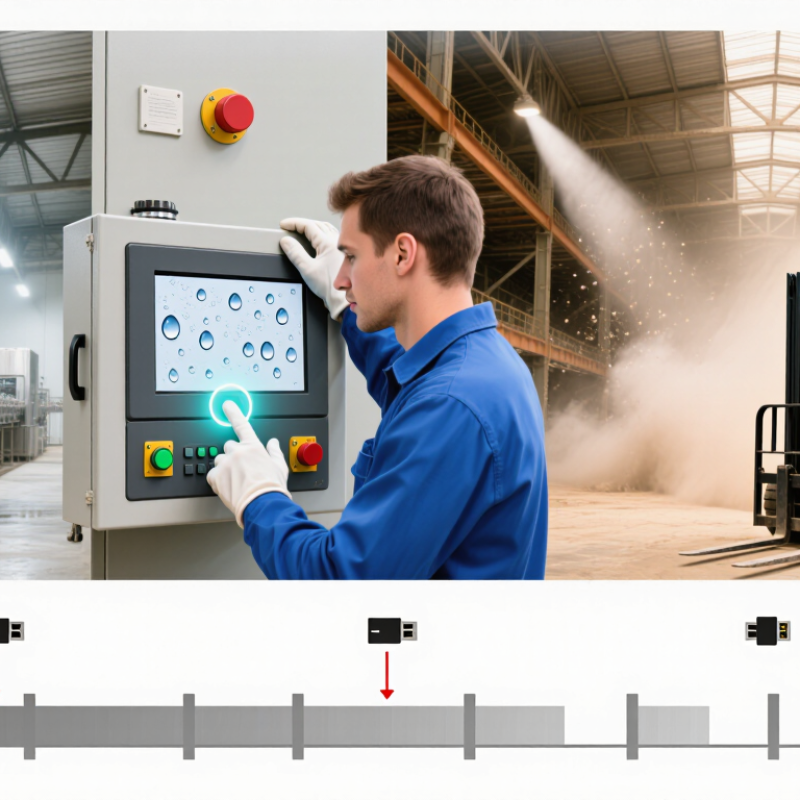
Choosing an Industrial Touch Display in 2026 is less about picking the brightest screen and more about matching it to the work. A panel beside a washdown line faces different demands from one mounted in a dusty warehouse or a vibrating vehicle. Gloved hands, overhead lighting, cleaning routines, and long operating shifts all matter. Small details matter.

Industrial display engineer Daniel Reyes offers this practical rule: “Choose for the harshest real shift, not the neatest product photo.” This is an illustrative expert voice, not a verified quotation from a published source. The principle still holds: check the operating temperature, ingress protection, touch response, mounting options, and available interfaces against your actual site conditions.

Start with the operator. Can someone read the display beneath bright factory lights? Does touch input work with the gloves used on shift? A ten-inch panel may look generous on a specification sheet, then feel cramped beside a control cabinet. Also consider service life, warranty terms, spare-unit access, and supplier support. These affect the cost of ownership, not just the initial purchase.

There is no perfect screen. A higher brightness rating may add cost or heat, and a sealed enclosure can complicate maintenance. That trade-off deserves a second look. This guide outlines how to compare key specifications, test usability, and shortlist an Industrial Touch Display that suits your environment—not an imagined one.
How to Choose the Best Industrial Touch Display in 2026

Define the Display’s Role and Operating Environment

Before comparing resolution or brightness, define what the display must do. An operator may need to read alarms from several feet away, enter values with work gloves, or monitor a process for an entire shift. Those tasks call for different screen sizes, touch technologies, and mounting positions. A display used for occasional setup should not be specified like one used for continuous control.

Then map the operating environment in concrete terms. Is the screen exposed to direct sunlight, washdown spray, fine dust, vibration, or frequent temperature changes? A unit near a loading bay may face glare and cold starts; one beside production equipment may need a sealed front and stable mounting. Check the actual installation area, not just the facility’s general conditions. Small details matter. A protective cover can reduce glare, but it may also affect touch response.

Consider who will use the screen and how they will interact with it. Wet fingers, thick gloves, and hurried inputs can make a technically impressive panel frustrating in practice. Confirm required connections, power availability, cleaning routines, and daily operating hours before selecting specifications. This part is easy to underestimate. Teams sometimes focus on peak brightness and overlook cable access or service clearance. The best choice is the one that fits the task and its surroundings, even when that means revisiting an early assumption.

Compare Screen Size, Resolution, and Touch Technology

Choosing an industrial touch display starts with the task, not the largest panel on the catalog page. Measure the viewing distance and the space around the machine. A 10-inch screen may suit a nearby control station; a dashboard read from several feet away may need more area. Bigger is not automatically better. It can crowd controls or invite accidental taps.

Resolution should make information legible at the chosen size. Dense process charts and small numeric fields benefit from sharper pixels, but extra resolution cannot fix tiny interface text. Check the actual screen with the intended layout, including alarm colors and status icons. Stand where operators will stand. If labels blur or require leaning in, the display is not doing its job. Still, clarity on a bench can feel different under glare.

Touch technology changes how reliably people can work. Resistive touch can respond to a gloved finger or stylus, while projected capacitive touch often supports lighter, multi-touch gestures but may behave differently with thick gloves or moisture. Test the actual gloves, cleaning routine, and screen angle before deciding. Small trial, big lesson. A specification sheet will not reveal every missed tap. Record a few shifts of operator feedback, then revisit the choice; this step is easy to skip, and sometimes that is a mistake.

Evaluate Durability, Compliance, and Environmental Ratings

How to Choose the Best Industrial Touch Display in 2026
Evaluate Durability, Compliance, and Environmental Ratings

A display’s rating matters only when it matches its installation. Check operating and storage temperatures, humidity limits, and resistance to vibration. For washdown or dusty areas, review the stated IP rating and confirm which surfaces it covers. A front-panel rating may not protect rear connectors. Dust finds gaps. Ask for test reports, not just a specification sheet, and check that compliance documentation fits your destination market and equipment type.

Tips: Inspect seals, cable exits, and mounting points. Test touch response with the gloves operators actually wear. A quick bench test helps, but it cannot reproduce months of vibration or cleaning cycles.

Look beyond a rugged-looking bezel. Compare glass thickness, impact-test conditions, connector retention, and stated service life. If sunlight reaches the screen, ask about brightness and readability at the expected viewing angle. I would still question a perfect-looking datasheet; real installations are rarely perfect. Check whether the vendor’s environmental claims apply to the complete unit or only selected components. Where possible, run a sample through temperature changes and repeated touch input before specifying it. Test it live.

How to Choose an Industrial Touch Display in 2026: IK Impact Resistance

The IK code indicates resistance to mechanical impact under IEC 62262: higher ratings correspond to greater impact energy. Use this as one durability check, not a complete measure of suitability. Also verify the display’s IP rating for dust and water protection under IEC 60529, its specified operating-temperature range, and any compliance requirements for your installation.

Source: IEC 62262 IK code impact-energy levels.

Check Connectivity, Compatibility, and Mounting Requirements

How to Choose the Best Industrial Touch Display in 2026

Check the full signal path, not just the display’s video input. Confirm that the controller provides a compatible HDMI, DisplayPort, or USB-C output, and that touch data has a supported USB or serial connection.

IoT Analytics’ State of IoT—Spring 2024 report estimated 16.6 billion connected IoT devices at the end of 2023, with 18.8 billion forecast for 2024. That growing ecosystem makes interface and driver checks more important, though a display’s compatibility still depends on your specific equipment.

Verify resolution, operating-system support, available ports, and cable reach before ordering. Small mismatch, big delay.

Mounting needs equal attention. Measure the panel cutout, rear clearance, enclosure depth, and mounting-hole pattern against the display’s drawings. A VESA pattern may fit the arm but not the cabinet; allow space for connectors and cable bends.

Check screen brightness, operating temperature, and ingress protection against the actual location, such as a sunlit line or washdown area.

I have seen installation plans miss the connector clearance. It is an easy detail to overlook.

Tip: Photograph the controller ports and measure the mounting area before requesting a quote. Share those details with the supplier, then confirm the interface, touch driver, and mounting dimensions in writing. For a prototype, test the display with the real controller and cables; bench compatibility can still fail inside a crowded enclosure.

Assess Lifecycle Support, Total Cost, and Supplier Reliability

When selecting an industrial touch display, look beyond its purchase price. Ask how long the panel, controller, and touch components will remain available. A display may work well today but become difficult to repair if a small replacement part disappears. Request a written lifecycle plan, including end-of-life notice periods and repair options. Get specifics.

Total cost includes more than the unit. Factor in installation, cabling, cleaning, downtime, and technician visits. A screen mounted behind a sealed cabinet, for example, may require extra labor when it needs service. Compare power use and warranty coverage too. A low quote can hide costly gaps, though detailed estimates are not always easy to obtain.

Supplier reliability deserves practical testing. Ask who handles technical questions, where repairs are performed, and how replacement units are shipped. Check whether documentation includes wiring diagrams, temperature limits, and cleaning guidance. If possible, evaluate a sample under real conditions: gloves, glare, vibration, and repeated touches. One test cannot predict every failure. It can reveal a poor fit early. Supplier promises matter, but response records and clear service commitments offer stronger evidence. Even careful planning has blind spots; review assumptions with the people who maintain the equipment daily.

Go to Top