INDUSTRIES2023-04-26T19:33:38+00:00

What Are the 7 Best Smart Locker Locks for Businesses?

A Smart Locker Lock can turn a crowded mailroom into a more orderly space, but the right choice depends on daily use. A university may need temporary access for hundreds of students. A small office may care more about simple staff permissions and easy maintenance. The best systems make access clear, record useful activity, and keep working through busy afternoons. They should also fit the locker doors already in place. Details matter: battery life, connection quality, backup entry, and the time needed to assign or remove credentials.

Security technologist Bruce Schneier has said, “Security is a process, not a product.” That principle applies to locker access, too. A capable lock cannot replace clear procedures, regular checks, or sensible user training. No lock is perfect. And a long feature list does not guarantee a good fit. This guide compares seven Smart Locker Lock options for businesses, looking at access methods, management tools, durability, and practical setup. It also considers the less glamorous questions: What happens when a battery runs low? Can a manager revoke access quickly? Will the system still feel manageable when several locations are added? The answers vary by workplace, and some trade-offs are easy to miss in product listings. That is worth admitting. A careful comparison can help businesses choose a lock that supports real routines, not just a polished demonstration.
What Are the 7 Best Smart Locker Locks for Businesses?

Use Pitney Bowes' 21.7B U.S. parcels in 2023 to size locker demand

U.S. parcel volume reached 21.7 billion shipments in 2023, according to the 2024 U.S. Parcel Shipping Index. That averages nearly 59 million parcels daily. Busy lobbies feel the pressure: couriers need quick drop-offs, while staff need clear pickup records. But national volume cannot determine how many locker doors one business needs. Local delivery counts, peak-day surges, package sizes, and customer pickup habits matter more.

The U.S. Census Bureau estimated 2023 retail e-commerce sales at $1.12 trillion, up 7.6% from 2022. More online orders can mean more returns and repeat deliveries. Still, parcel growth does not translate directly into locker demand. A site receiving 300 packages on a Monday may get far fewer on Friday. Track deliveries for several weeks before sizing capacity. It is easy to overbuild.

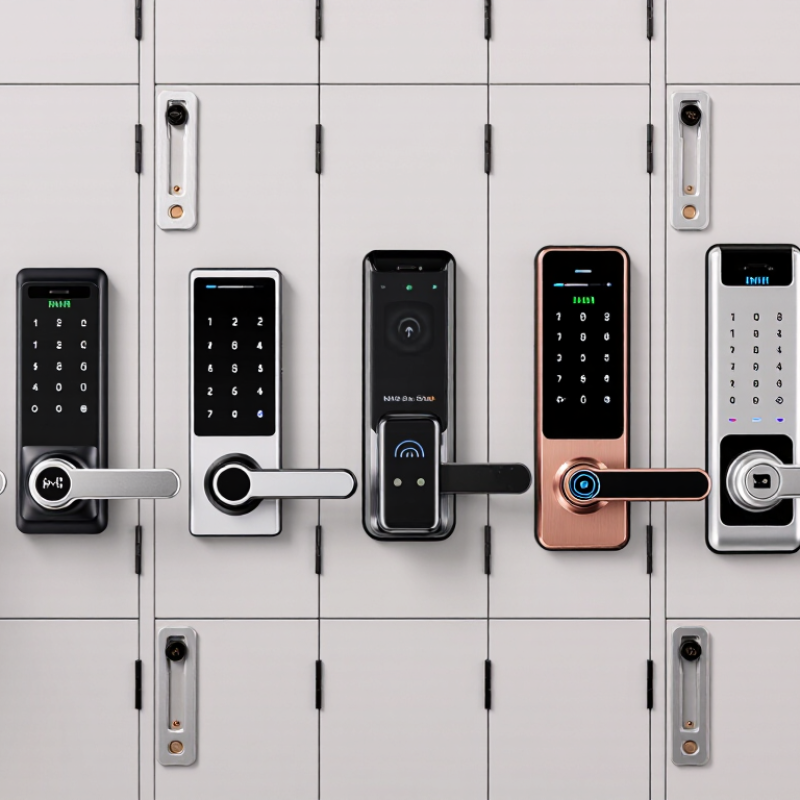
For shared offices or apartment buildings, compare PIN, RFID, mobile credential, QR-code, offline electronic, networked, and hybrid lock options. Check audit logs, battery alerts, access sharing, and backup entry methods. A refrigerated pickup area or outdoor vestibule may need different hardware than a dry indoor lobby. No lock fits all. Choose for real traffic, not a national average, and revisit the estimate after seasonal peaks.

Define business requirements: users, turnover, audit trails, and offline access

Before comparing smart locker locks, map who will use them and how often. A warehouse may serve permanent staff, rotating shifts, and delivery crews. A clinic may need assigned storage for employees and short-term access for visitors. These groups need different permissions. Write down user counts, peak handover times, and who handles forgotten credentials. Small details matter.

Turnover changes the right access method. Daily users may prefer a badge or personal code, while occasional users may need temporary credentials. Ask how quickly access must be granted or removed when roles change. Then examine audit trails. Useful records show which locker opened, when, and whether access failed. Set clear limits on who can view records and how long they are retained. More data is not automatically better.

Offline access deserves a real test, not just a line in a product sheet. Ask what happens during a network outage: Can authorized users still open lockers? Do events save locally and sync later? Check battery warnings and the recovery process, too. A door that opens during an outage may protect operations, but delayed records create gaps. Test the lock in a busy hallway, with weak Wi-Fi and a tired supervisor. The test may expose a flaw in your own workflow, not only the hardware.

Compare 7 types: RFID, PIN, Bluetooth, biometric, cloud, wired, and cam-lock

RFID locks suit busy corridors: staff tap cards, and managers can revoke lost credentials without changing hardware. PIN locks cost less and need no phone, but shared codes weaken accountability. Verizon’s 2024 Data Breach Investigations Report found that 68% of breaches involved a non-malicious human element. That broad finding is not locker-specific, yet it supports avoiding easily shared access codes. Bluetooth locks let users unlock nearby doors by phone, though dead batteries and app setup can slow a queue.

Convenient, until it isn’t.

Biometric locks reduce credential sharing, but wet fingers or gloves can frustrate users. NIST Special Publication 800-63B sets a biometric false-match-rate benchmark of 1 in 1,000 or better; real performance still depends on the device and setup. Cloud-managed locks make remote permissions and access logs easier to handle, but depend on network availability and sound account controls. Wired locks offer steady power and centralized control, though installation takes more planning. Cam-locks remain a simple, low-cost choice for low-risk cabinets, with limited access tracking.

There is no perfect fit. Test the lock during a real shift, not just in a quiet showroom.

Apply NIST SP 800-63B's 15-character minimum for single-factor passwords

What Are the 7 Best Smart Locker Locks for Businesses? The right choice should protect access without making daily handoffs painful. For password-based, single-factor access, NIST SP 800-63B sets a 15-character minimum. That matters when staff open lockers between shifts or manage deliveries at a busy reception desk. A longer password is not a complete security plan, but it raises the effort required to guess it. NIST also advises checking new passwords against lists of commonly used or compromised passwords.

Industry evidence supports taking credentials seriously. Verizon’s 2024 Data Breach Investigations Report identified stolen credentials as an initial access method in 24% of breaches. For a locker system, use unique staff accounts where available, limit access by role, and disable accounts promptly when workers leave. Logs can help investigate unexpected openings. They cannot explain every event, though. A rushed setup or shared login can undermine good hardware.

Tips: Use a memorable 15-character passphrase, such as several unrelated words, and store it in an approved password manager. Avoid forced routine resets unless compromise is suspected. Test recovery procedures before a shift change, not during one. The details get messy. That is worth reviewing.

Verify UL 294 and ANSI/BHMA A156.25 before deployment

A smart locker lock must fit the door, the access system, and the building’s security requirements. Before deployment, verify whether the exact lock model and its connected components have been evaluated to UL 294. This standard covers access control system units, but it does not automatically certify every locker lock or installation. Check the certification record, model number, power supply, and reader configuration. A certificate for a similar product is not enough.

Also review ANSI/BHMA A156.25, which covers electrified locking devices. Ask for test documentation that names the applicable edition and the exact device configuration. Confirm which performance claims the testing supports, such as durability or environmental resistance. Not every smart locker lock will be tested to this standard, so ask the manufacturer to explain any gap in writing. Do not assume.

Match the documentation to real site conditions: locker material, door thickness, wiring route, and expected daily cycles. A lock tested in one setup may behave differently on a metal locker with a tight latch and frequent use. Inspect the installation instructions, then test several doors under normal operating conditions before scaling up. Small details matter. A clean certificate is useful, but it cannot replace a careful fit check.

Go to Top